Bulk Page Restrictions for Confluence
Atesen Software — documentation, support and legal pages
View the Project on GitHub pabsamuel/bulk-page-restrictions-docs
Your first preview in 60 seconds
Nothing changes until you click Apply. You can undo any change within 30 days.
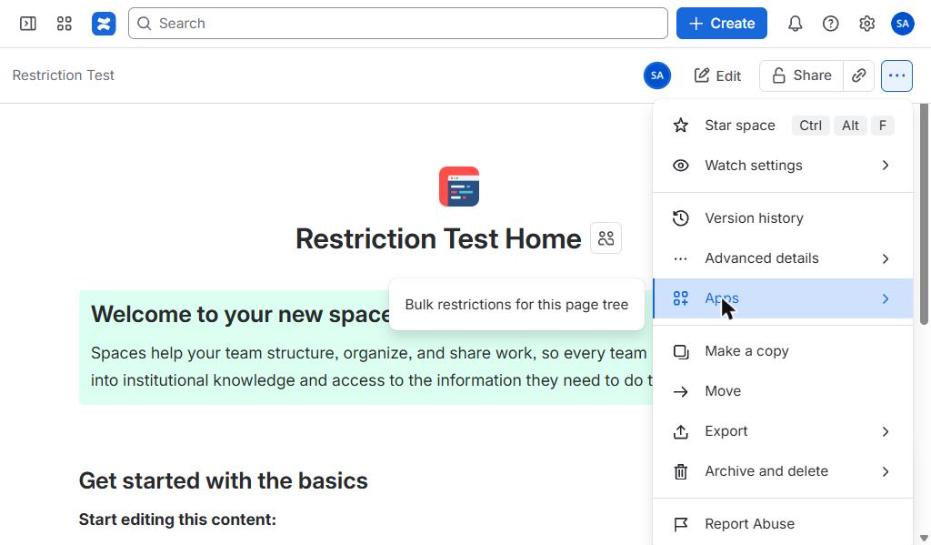
1. Open it from a page
Page ••• menu → Apps → Bulk restrictions for this page tree. This page is the top page.
2. Pick who to add
Scroll to step 3, type a name or group, and select it.
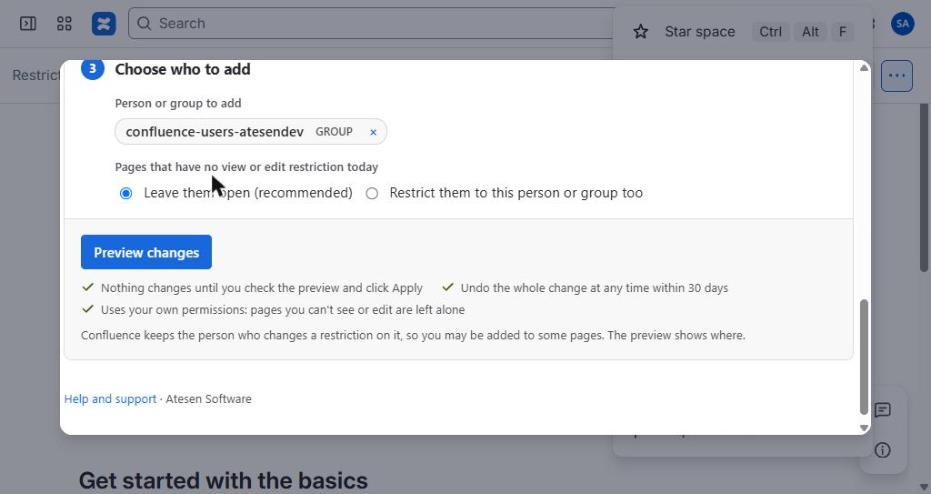
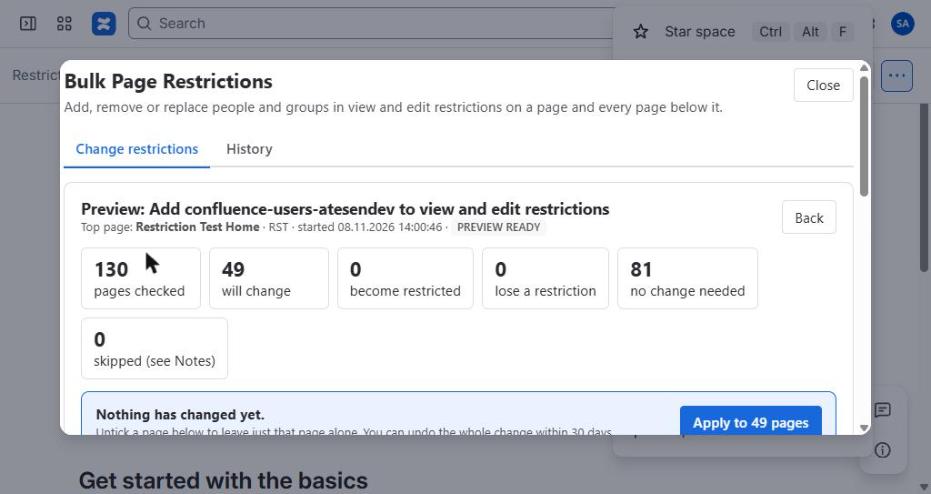
3. Click Preview changes
You see how many pages would change. Nothing has changed yet.
4. Check the table
Added names are green, removed names are struck through. Untick any page you want to leave alone.
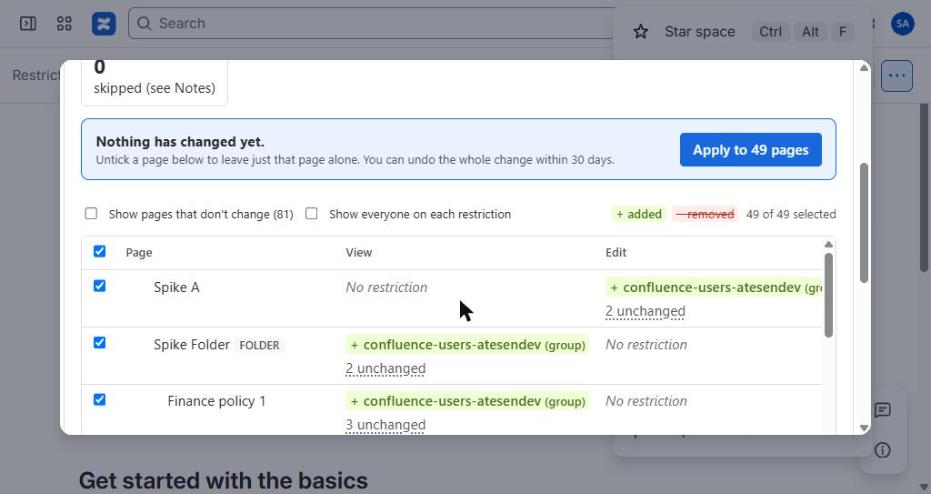
Happy with it? Click Apply. Not sure? Close the window, nothing was changed.